- Identify the Issue
- Is the Wi-Fi completely down or just slow?
- Does the issue affect one device or all devices?
- Do you see a ‘Connected, no internet’ message?
- Basic Troubleshooting
- Turn Wi-Fi off and on again on your device.
- Restart your router/modem (wait 30 seconds before turning it back on).
- Forget the Wi-Fi network on your device and reconnect.
- Check if another device can connect – if yes, the issue is device-specific.
- If Signal is Weak or Drops Frequently
- Move closer to the router.
- Remove obstacles like walls or metal objects.
- Try changing the Wi-Fi band (5GHz for speed, 2.4GHz for range).
- Update router firmware.
- Consider using a Wi-Fi extender or mesh system.
- If Internet is Not Working but Wi-Fi is Connected
- Restart your modem.
- Try different websites – maybe one is just down.
- Run ‘ipconfig /release’ then ‘ipconfig /renew’ (Windows).
- Set DNS to Google’s (8.8.8.8 / 8.8.4.4).
- Call your ISP to check for an outage.
- Router Settings to Check
- Login to router (usually 192.168.0.1 or 192.168.1.1).
- Ensure DHCP is enabled.
- Update the firmware.
- Change the wireless channel to avoid interference.
- Check for MAC filtering or parental controls.
- Advanced Fixes
- Check IP settings (static vs DHCP).
- Ping 8.8.8.8 to test DNS.
- Check logs in router admin panel.
- Factory reset the router if needed.
- Mobile Device Specific Fixes
- Clear Wi-Fi cache (Android).
- Reset network settings (iOS/Android).
- Update OS/software.
- Check for VPN or firewall apps blocking traffic.
Wi-Fi Symptoms and Causes?
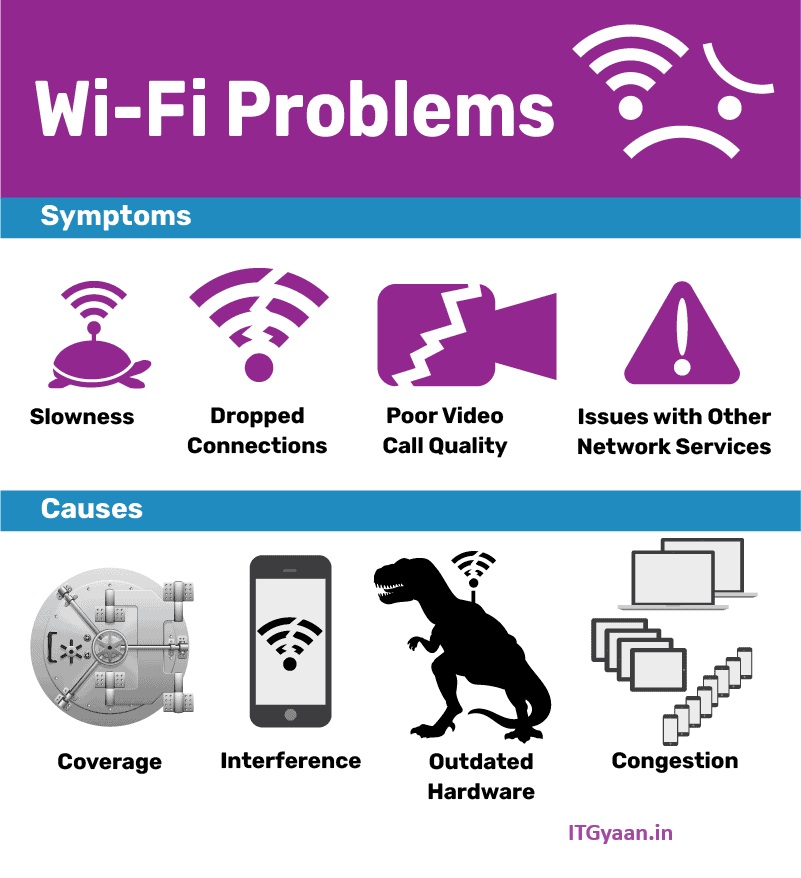
Wi-Fi symptoms are the visible problems or issues you face while using a wireless internet connection.
Causes are the reasons behind those problems — the technical or physical issues that make Wi-Fi behave incorrectly.
| Wi-Fi connected but no internet | Internet provider is down / router issue |
| Wi-Fi is very slow | Too many devices / weak signal / interference |
| Wi-Fi disconnects often | Router overheating / signal drops / firmware bugs |
| Cannot connect to Wi-Fi | Wrong password / blocked device / IP conflict |
| Wi-Fi network not showing | Router off / wrong band / SSID hidden |