
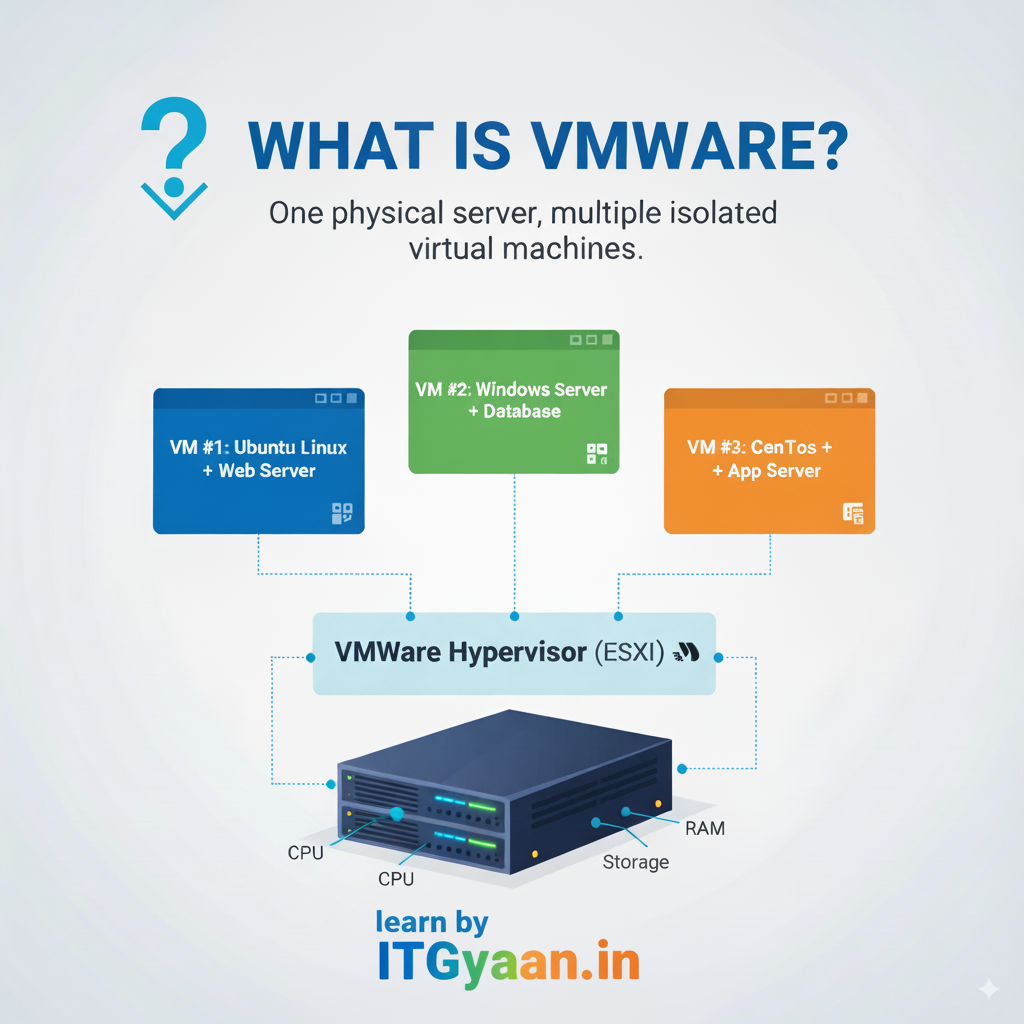
VMware is a company that provides virtualization and cloud computing software. Its most popular product is VMware vSphere, which allows you to run multiple operating systems (OSes) on a single physical machine using a technology called virtualization.
- How VMware Works
VMware uses virtualization software to create virtual machines (VMs) — these are software-based computers that behave like physical computers.
- Hypervisor (VMware’s Core Technology):
- VMware uses a hypervisor, like VMware ESXi (bare-metal) or VMware Workstation (desktop).
- A hypervisor is a layer between your hardware and your operating systems.
- It allows multiple VMs to run independently on the same physical machine.
- Virtual Machines (VMs):
- Each VM is a complete computer system: it has a virtual CPU, RAM, disk, and network interface.
- You can install Windows, Linux, or any OS inside a VM, and it behaves like a separate computer.
- Resource Sharing:
- The hypervisor allocates hardware resources (like CPU, RAM, storage) to each VM.
- VMs can share these resources efficiently and securely.
2. Types of VMware Products
| Product | Purpose |
| VMware Workstation | For running VMs on a desktop or laptop (Windows/Linux). |
| VMware Fusion | For running VMs on macOS. |
| VMware ESXi | A bare-metal hypervisor for servers (no OS required underneath). |
| VMware vCenter | Manages multiple ESXi hosts in enterprise data centres. |
| VMware Horizon | For virtual desktops (VDI). |
3. Benefits of Using VMware
- Run multiple OSes on one computer.
- Isolate environments (e.g., test software without harming your main OS).
- Save hardware costs (fewer physical servers needed).
- Improve scalability and disaster recovery in data centres.
For Example,
Suppose you have a physical server with:
- 64 GB RAM
- 2 TB storage
- 16-core CPU
4. Using VMware ESXi, you can create:
- VM1: Windows Server (16 GB RAM)
- VM2: Linux Server (8 GB RAM)
- VM3: Ubuntu Desktop (4 GB RAM)
…and so on — all running at the same time on the same physical hardware.
5. Where VMware is Used
- Data Centers:
Virtualizing servers and networks to create flexible and efficient data center environments.
- Cloud Computing:
Forming the backbone of many cloud platforms, enabling service providers to serve more users with their physical infrastructure.
- Enterprise IT:
For building private clouds and managing applications, storage, and networks within an organization.